

Our review
Hp Color Laserjet Pro Mfp 3301fdw Review: Best With Fax?
Sep 24, 2026
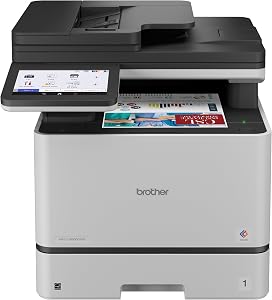
This hp color laserjet pro mfp 3301fdw review places HP's fax-ready all-in-one at number four of nine picks in our 2026 guide, the best color all-in-one with fax for small teams. It is the only top-five model in that guide with a fax modem. The HP Color LaserJet Pro MFP 3301fdw prints, scans, copies and faxes at up to 26 pages per minute in color and black, holds a 250-sheet input tray and weighs 41.4 pounds. It sells for $538.90 and carries a 3.6-star average from 824 Amazon ratings. By contrast, anyone who never faxes can spend less on another model in the same guide.
In practice, the print engine runs at up to 26 pages per minute in color and black, which keeps pace with a small team, and the 250-sheet input tray means fewer refills during long runs. The auto document feeder scans both sides of a page in a single pass, so a double-sided contract becomes one quick job instead of two. Meanwhile, 600 x 600 dpi resolution delivers standard business quality: crisp text and clean color blocks rather than photo-lab output. HP's TerraJet toner adds more vivid color, and dual-band Wi-Fi with self-reset reconnects on its own when the network drops. On top of that, you get Ethernet, two USB ports, a 100-sheet output tray and support for legal-size 8.5 x 14 inch media.
On value, the $538.90 tag sits about $100 above the HP Color LaserJet Pro MFP 3301sdw in this guide, which prints at similar speeds but leaves out fax and single-pass duplex scanning. Even so, that premium buys a fax modem and faster double-sided scans on the same 26 pages per minute color engine, so fax-heavy offices come out ahead. The honest caveat is the 3.6-star average from 824 Amazon ratings, the weakest score among the top five picks in this guide, so skim recent owner comments before you commit. Plan for the 41.4-pound footprint and 416-watt draw before it lands on your desk. If your team still faxes signed paperwork, this is the one to buy. If it does not, save the $100 and put it toward toner.


Discussion
0 commentsLeave a comment